
![Banner [BCM] [E3] [BIA] [Summing Up] [P4] Supporting IT Systems and Applications [BIAQ]](https://no-cache.hubspot.com/cta/default/3893111/9bde2d75-0c8e-4d9e-a8ca-e8d1655a082c.png)

![Banner [BCM] [E3] [BIA] [P4] Supporting IT Systems and Applications](https://no-cache.hubspot.com/cta/default/3893111/e60ed308-5615-4727-b6c2-5fb4eed933d7.png) Consolidated Report for Supporting IT Systems and Applications for CBF-1 to CBF-12
Consolidated Report for Supporting IT Systems and Applications for CBF-1 to CBF-12
![[BCM] [SHINE] [E4] [BIA] [CR] [P4] Supporting IT Systems and Applications for CBF](https://no-cache.hubspot.com/cta/default/3893111/0823b5f1-b57d-48f5-86d0-90b8eb6b851a.png)
In today’s increasingly digital and interconnected environment, the effectiveness and resilience of critical business functions rely heavily on the seamless operation of supporting IT systems and applications.
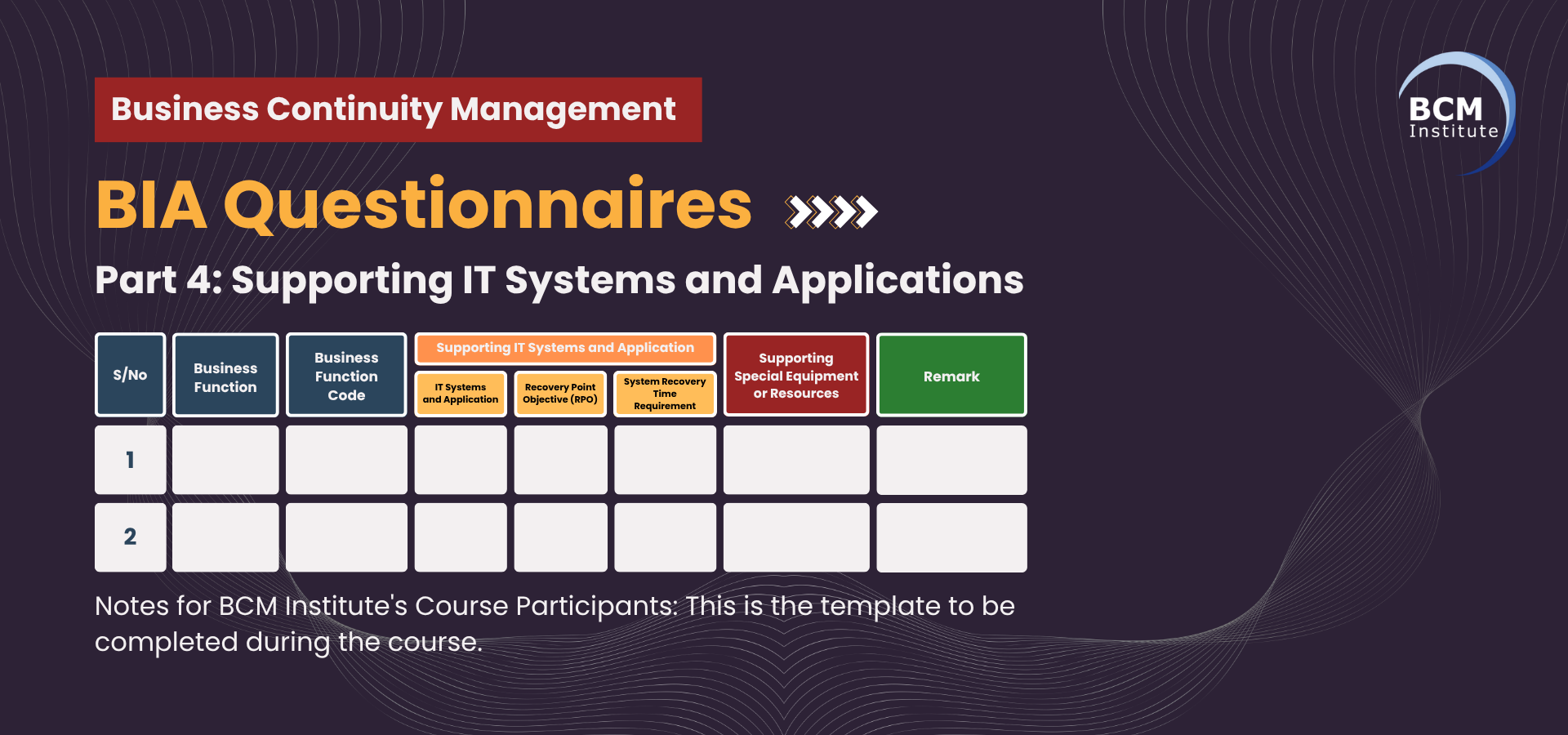
This section outlines the essential IT systems and applications that support each sub-process within each CBF.
It also provides an overview of their respective Recovery Point Objectives (RPOs), Recovery Time Objectives (RTOs), and any specialised equipment or resources that enable their continuity.
Understanding the interdependence between operational processes and supporting technologies is crucial to ensuring timely recovery, effective service delivery, and compliance with regulatory and governance standards, especially during disruptions.
By mapping these digital enablers to each operational component, the organisation can better prioritise recovery strategies, allocate technical resources, and ensure alignment with its overall business continuity and disaster recovery objectives.
![Banner [Table] [BCM] [E3] [BIA] [P4] Supporting IT Systems and Applications [BIAQ]](https://no-cache.hubspot.com/cta/default/3893111/b0e47631-f680-46d1-b7a9-040fce25e117.png)
Table P4: Supporting IT Systems and Applications for CBF-1 to CBF-12
|
Sub-CBF Code |
Sub-CBF |
IT Systems and Applications |
RPO |
System RTO |
Supporting Special Equipment or Resources |
|
1.1 |
Psycho-educational Assessment & Diagnosis |
CMS, MS Office 365, Psychological Test Software |
24 Hours |
24 Hours |
Laptops |
|
1.2 |
Reassessment & Educational Needs Review |
CMS, MS Office 365 |
24 Hours |
24 Hours |
Laptops |
|
1.3 |
Learning Intervention Programmes |
CMS, MS Office 365, Video Conferencing (Zoom/Teams) |
24 Hours |
24 Hours |
Laptops |
|
1.4 |
Consultation & Stakeholder Engagement |
MS Office 365, Social Media, Zoom/Teams |
24 Hours |
24 Hours |
Laptops, Mobile Phones |
|
1.5 |
Intake & Referral Management |
CMS, MS Office 365 |
24 Hours |
24 Hours |
Laptops |
|
1.6 |
Progress Monitoring, Review & Exit Planning |
CMS, MS Office 365 |
24 Hours |
24 Hours |
Laptops |
|
1.7 |
Documentation, Reporting & Compliance |
CMS, MS Office 365 |
24 Hours |
24 Hours |
Laptops |
|
1.8 |
Capacity Building & Volunteer / Community Programmes |
MS Office 365, Social Media |
24 Hours |
24 Hours |
Laptops |
|
2.1 |
Community Social Work – Community Engagement |
MS Office 365, Social Media |
24 Hours |
24 Hours |
Laptops, Mobile Phones |
|
2.2 |
Community Social Work – Family Support & Coaching |
CMS, MS Office 365 |
24 Hours |
24 Hours |
Laptops, Mobile Phones |
|
2.3 |
School Social Work – In-School Social Work |
CMS, MS Office 365 |
24 Hours |
24 Hours |
Laptops |
|
2.4 |
School Social Work – Preventive & Developmental |
CMS, MS Office 365 |
24 Hours |
24 Hours |
Laptops |
|
2.5 |
Casework & Counselling Support |
CMS, MS Office 365, Zoom/Teams |
24 Hours |
24 Hours |
Laptops, Mobile Phones |
|
2.6 |
Collaboration & Partnership Management |
MS Office 365 |
24 Hours |
24 Hours |
Laptops |
|
2.7 |
Volunteer & Youth Engagement |
MS Office 365, Social Media |
24 Hours |
24 Hours |
Laptops, Mobile Phones |
|
2.8 |
Monitoring, Evaluation & Research-informed Practice |
CMS, MS Office 365 |
24 Hours |
24 Hours |
Laptops |
|
3.1 |
Case Identification and Assessment |
CMS, MS Office 365 |
24 Hours |
24 Hours |
Laptops |
|
3.2 |
Individualised Intervention Planning |
CMS, MS Office 365 |
24 Hours |
24 Hours |
Laptops |
|
3.3 |
Program Delivery and Monitoring |
CMS, MS Office 365 |
24 Hours |
24 Hours |
Laptops |
|
3.4 |
Stakeholder Collaboration and Coordination |
MS Office 365, Zoom/Teams |
24 Hours |
24 Hours |
Laptops |
|
3.5 |
Crisis Management and Emergency Support |
CMS, MS Office 365, SMS Gateway |
4 Hours |
4 Hours |
Laptops, Mobile Phones |
|
3.6 |
Evaluation and Adjustment of Intervention Plans |
CMS, MS Office 365 |
24 Hours |
24 Hours |
Laptops |
|
3.7 |
Post-Intervention Follow-Up |
CMS, MS Office 365 |
24 Hours |
24 Hours |
Laptops |
|
4.1 |
Assessment and Intake Services |
CMS, MS Office 365 |
24 Hours |
24 Hours |
Laptops |
|
4.2 |
Individual Counselling Sessions |
CMS, MS Office 365, Zoom/Teams |
24 Hours |
24 Hours |
Laptops |
|
4.3 |
Group Therapy Sessions |
CMS, MS Office 365, Zoom/Teams |
24 Hours |
24 Hours |
Laptops |
|
4.4 |
Crisis Intervention and Immediate Support |
CMS, MS Office 365, SMS Gateway |
4 Hours |
4 Hours |
Laptops, Mobile Phones |
|
4.5 |
Therapeutic Program Development |
MS Office 365 |
24 Hours |
24 Hours |
Laptops |
|
4.6 |
Family Therapy and Support |
CMS, MS Office 365, Zoom/Teams |
24 Hours |
24 Hours |
Laptops |
|
4.7 |
Referrals and Collaboration with External Agencies |
MS Office 365 |
24 Hours |
24 Hours |
Laptops |
|
4.8 |
Monitoring and Evaluation of Therapy Effectiveness |
CMS, MS Office 365 |
24 Hours |
24 Hours |
Laptops |
|
4.9 |
Case Documentation and Record-Keeping |
CMS, MS Office 365 |
24 Hours |
24 Hours |
Laptops |
|
5.1 |
Client Intake & Assessment |
CMS, MS Office 365 |
24 Hours |
24 Hours |
Laptops |
|
5.2 |
Case Management Planning |
CMS, MS Office 365 |
24 Hours |
24 Hours |
Laptops |
|
5.3 |
Coordination of Support Services |
CMS, MS Office 365 |
24 Hours |
24 Hours |
Laptops |
|
5.4 |
Monitoring & Follow-up |
CMS, MS Office 365 |
24 Hours |
24 Hours |
Laptops |
|
5.5 |
Documentation & Reporting |
CMS, MS Office 365 |
24 Hours |
24 Hours |
Laptops |
|
5.6 |
Client Discharge & Transition |
CMS, MS Office 365 |
24 Hours |
24 Hours |
Laptops |
|
6.1 |
Client Information Collection |
CMS, MS Office 365 |
24 Hours |
24 Hours |
Laptops |
|
6.2 |
Client Records Maintenance |
CMS, SharePoint/OneDrive |
24 Hours |
24 Hours |
Laptops |
|
6.3 |
Confidentiality & Privacy |
CMS (Access Control), MS Office 365 |
24 Hours |
24 Hours |
Laptops |
|
6.4 |
Document Management |
CMS, SharePoint, MS Office 365 |
24 Hours |
24 Hours |
Laptops |
|
6.5 |
Record Retrieval & Access Control |
CMS, Active Directory |
24 Hours |
24 Hours |
Laptops |
|
6.6 |
Record Disposal |
CMS, SharePoint |
24 Hours |
24 Hours |
Laptops |
|
6.7 |
Compliance Monitoring |
CMS, MS Office 365 |
24 Hours |
24 Hours |
Laptops |
|
7.1 |
Stakeholder Identification |
MS Office 365 (Email, SharePoint), Internet |
24 Hours |
24 Hours |
Laptop |
|
7.2 |
Communication Planning |
MS Office 365 (Email, Teams), Internet |
24 Hours |
24 Hours |
Laptop |
|
7.3 |
Crisis Communication Execution |
SMS Gateway, Social Media (FB/IG), Website |
4 Hours |
4 Hours |
Mobile Phone, Laptop |
|
7.4 |
Internal Communications |
MS Office 365 (Teams/Email), Zoom |
24 Hours |
24 Hours |
Laptop, Headset |
|
7.5 |
External Communications |
MS Office 365, Website CMS, Social Media |
24 Hours |
24 Hours |
Laptop |
|
7.6 |
Stakeholder Feedback Collection |
MS Forms, SurveyMonkey, MS Office 365 |
24 Hours |
24 Hours |
Laptop |
|
7.7 |
Stakeholder Coordination |
MS Office 365 (Calendar/Email/Teams) |
24 Hours |
24 Hours |
Laptop |
|
7.8 |
Post-Crisis Communication Review |
MS Office 365 (SharePoint/Email) |
24 Hours |
24 Hours |
Laptop |
|
8.1 |
Talent Acquisition & Recruitment |
Info-Tech HRMS, LinkedIn, Job Portals |
24 Hours |
24 Hours |
Laptop |
|
8.2 |
Staff Training & Development |
Info-Tech HRMS, LMS Portal, MS Office 365 |
24 Hours |
48 Hours |
Laptop |
|
8.3 |
Performance Management & Appraisal |
Info-Tech HRMS, MS Office 365 |
24 Hours |
48 Hours |
Laptop |
|
8.4 |
Succession Planning |
MS Office 365 (Excel, SharePoint) |
24 Hours |
48 Hours |
Laptop |
|
8.5 |
Employee Well-being & Support |
MS Office 365 (Teams), Wellness Apps |
24 Hours |
24 Hours |
Laptop |
|
8.6 |
Workforce Planning |
MS Office 365 (Excel), Info-Tech HRMS |
24 Hours |
48 Hours |
Laptop |
|
9.1 |
Fundraising & Grant Applications |
Giving.sg, MS Office 365, NCSS Portals |
24 Hours |
24 Hours |
Laptop |
|
9.2 |
Donor Management |
CRM System, MS Office 365 |
24 Hours |
24 Hours |
Laptop |
|
9.3 |
Resource Allocation & Budgeting |
NAV Finance System, MS Office 365 |
24 Hours |
24 Hours |
Laptop, VPN |
|
9.4 |
Financial Reporting & Accountability |
NAV Finance System, MS Office 365 |
24 Hours |
24 Hours |
Laptop, VPN |
|
9.5 |
Partnership & Stakeholder Engagement |
CRM System, MS Office 365 |
24 Hours |
24 Hours |
Laptop |
|
9.6 |
Emergency Fund Management |
NAV Finance System, Internet Banking |
4 Hours |
4 Hours |
Laptop, Bank Token |
|
10.1 |
Partnership Development |
CRM System, MS Office 365 |
24 Hours |
24 Hours |
Laptop |
|
10.2 |
Stakeholder Engagement |
MS Office 365 (Teams/Email) |
24 Hours |
24 Hours |
Laptop |
|
10.3 |
Community Outreach |
Social Media, MS Office 365, Website |
24 Hours |
24 Hours |
Laptop |
|
10.4 |
Network Maintenance and Coordination |
CRM System, MS Office 365 |
24 Hours |
24 Hours |
Laptop |
|
10.5 |
Resource Sharing and Collaboration |
MS Office 365 (SharePoint/OneDrive) |
24 Hours |
24 Hours |
Laptop |
|
10.6 |
Partnership Monitoring and Evaluation |
MS Office 365 (Excel/Forms) |
24 Hours |
48 Hours |
Laptop |
|
10.7 |
Conflict Resolution and Mediation |
MS Office 365 (Teams/Email) |
24 Hours |
24 Hours |
Laptop |
|
11.1 |
Facility Management |
MS Office 365, Security System Software |
24 Hours |
24 Hours |
Laptop |
|
11.2 |
IT Systems Management |
Server Admin Tools, Backup Software, VPN |
4 Hours |
4 Hours |
Admin Laptop |
|
11.3 |
Telecommunication Services |
VOIP System Admin, Internet Gateway |
4 Hours |
4 Hours |
Admin Laptop |
|
11.4 |
Data Centre Management |
UPS Monitoring, Server Console |
4 Hours |
4 Hours |
Admin Laptop |
|
11.5 |
Service Support and Vendor Management |
IT Ticketing System, MS Office 365 |
24 Hours |
24 Hours |
Laptop |
|
11.6 |
BCP for IT Infrastructure |
Backup Software (Veeam/Cloud), DR Tools |
4 Hours |
4 Hours |
Admin Laptop |
|
12.1 |
Compliance Monitoring |
MS Office 365 (SharePoint), Regulator Portals |
24 Hours |
24 Hours |
Laptop |
|
12.2 |
Regulatory Reporting |
MS Office 365, ACRA/Charity Portal |
24 Hours |
24 Hours |
Laptop, Singpass |
|
12.3 |
Governance Oversight |
MS Office 365 (Teams/Email) |
24 Hours |
24 Hours |
Laptop |
|
12.4 |
Policy Development & Review |
MS Office 365 (SharePoint/Word) |
24 Hours |
48 Hours |
Laptop |
|
12.5 |
Audit and Risk Management |
MS Office 365 (Excel), Audit Software |
24 Hours |
24 Hours |
Laptop |
Legend
- RPO (Recovery Point Objective): Maximum acceptable data loss measured in time.
- System RTO (Recovery Time Objective): Maximum acceptable downtime before system functionality must be restored.
- Special Equipment/Resources: Tools, devices, or infrastructure required to maintain the system's operational continuity.
The integration of well-maintained, secure IT systems and applications is vital to the continuity of SHINE's operations.
As detailed in this section, each critical sub-process within each CBF relies on a specific set of digital tools and platforms to function efficiently and respond rapidly to incidents or disruptions.
By clearly identifying the RPOs and RTOs for each system and recognising the dependencies on special equipment and resources, SHINE can builds a resilient operational framework that supports its strategic mission and responsibilities.
Furthermore, this alignment between technology and operations underpins continual improvement, risk mitigation, and sustainable infrastructure management—key pillars of upholding public trust and regulatory compliance in the nation’s property and facilities sector.

| Continuity of Care: Ensuring SHINE’s Mission Through Effective BCM | |||
| eBook 4: Consolidate and Report Your BCM Implementation | |||
| Consolidated Report for BIAQ (Part 1 to Part 6) for CBF-1 to CBF-12 | |||
| PM: BIA | BIAQ T1 P1 | BIAQ T1 P2 | BIAQ T2 P3 |
| Consolidated Report for BIAQ (Part 1 to Part 6) |  |
![[BCM] [SHINE] E4] [BIA] [CR] [P2] Impact Area of Business Functions for CBF](https://no-cache.hubspot.com/cta/default/3893111/8f041b8f-e767-4b52-9509-e528a10b8f5f.png) |
![[BCM] [SHINE] E4] [BIA] [CR] [P3] Impact Over Time of Business Functions for CBF](https://no-cache.hubspot.com/cta/default/3893111/fb5aa1d6-202c-499c-8c3d-460fb90ec5ff.png) |
| CBF | BIAQ T2 P4 | BIAQ T3 P5 | BIAQ T3 P6 |
![[BCM] [SHINE] [E1] [C10] Identifying Critical Business Functions](https://no-cache.hubspot.com/cta/default/3893111/6fba5a23-5e02-4368-aa88-65a252d4edd7.png) |
|
![[BCM] [SHINE] [E4] [BIA] [CR] [P5] Inter-dependencies for CBF](https://no-cache.hubspot.com/cta/default/3893111/74cebdbc-3526-40b8-b3d4-de6f6e25296d.png) |
![[BCM] [SHINE] [E4] [BIA] [CR] [P6] Vital Records for CBF](https://no-cache.hubspot.com/cta/default/3893111/e860a0ec-3363-4333-8cf1-86ee7e4bcccc.png) |
More Information About Business Continuity Management Courses
To learn more about the course and schedule, click the buttons below for the BCM-300 Business Continuity Management Implementer [BCM-3] and the BCM-5000 Business Continuity Management Expert Implementer [BCM-5].


![Register [BL-B-3]*](https://no-cache.hubspot.com/cta/default/3893111/ac6cf073-4cdd-4541-91ed-889f731d5076.png)



![FAQ [BL-B-3]](https://no-cache.hubspot.com/cta/default/3893111/b3824ba1-7aa1-4eb6-bef8-94f57121c5ae.png)
![Email to Sales Team [BCM Institute]](https://no-cache.hubspot.com/cta/default/3893111/3c53daeb-2836-4843-b0e0-645baee2ab9e.png)


